My flying is your own page as crew: your upcoming flights and anything that needs your attention, laid out to read easily on a phone.
Where to find it
- •Open the user menu at the top right of any page (your email address, or the person icon on a phone), then My flying.
- •Or search for "My flying" in the quick search.
What it shows
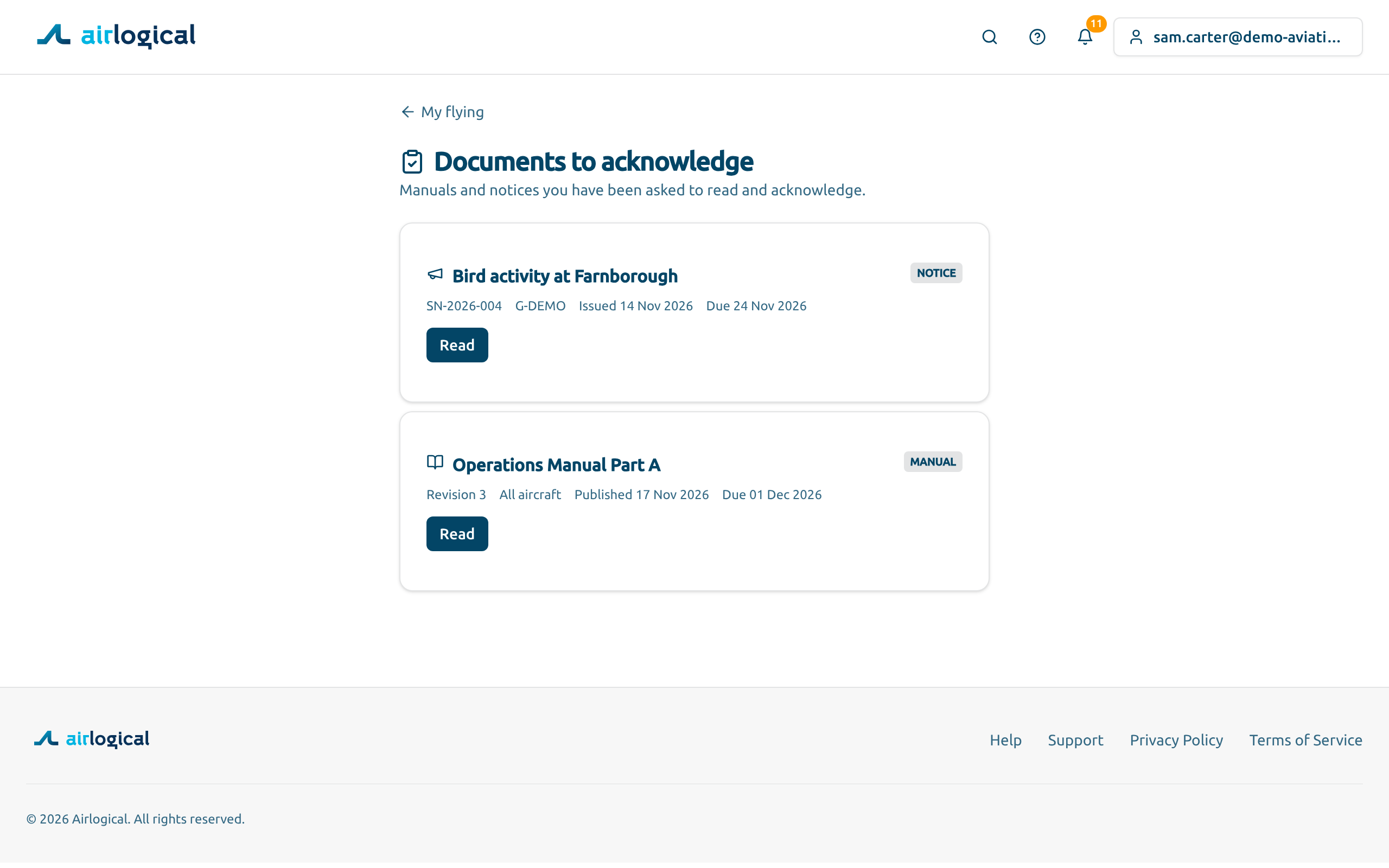
Documents to acknowledge
If there are safety documents or notices waiting for you to acknowledge, an amber banner says how many, for example "2 documents to acknowledge". Tap it to see the list. Each manual or notice has a Read button that opens it; read it, then press Acknowledge (for a manual, Acknowledge this revision). See Safety Documents and Notices.
The list covers every aircraft you are crew on, and you can read and acknowledge a document sent to you even if you have no other access to Safety.
Upcoming flights
Every leg with a scheduled departure still to come on which you are assigned as PIC, SIC or cabin crew, earliest first. Cancelled legs are not shown. Each card shows:
- •the route, from departure to arrival airport
- •your role: PIC, SIC or cabin
- •the departure date and time in UTC (marked Z)
- •the aircraft registration
- •the trip reference, where there is one
Each card has up to two buttons:
- •View trip opens the full trip. It appears when the leg belongs to a trip.
- •Report defect opens the aircraft's defects page so you can raise a defect. See Defects and MEL.
What opens from these buttons still depends on your access to that aircraft.
If something looks wrong
| You see | What it means |
|---|---|
| Your login isn't linked to a crew profile yet. Contact your administrator. | Your login is not connected to a crew record. Ask your account owner or admin to link your login to your crew record. |
| No upcoming flights assigned to you. | You are not PIC, SIC or cabin crew on any leg with a scheduled departure still to come. |
Tips
- •A leg with no scheduled departure time yet is not listed.
- •If you fly on more than one aircraft, flights for all of them are listed together.